
Order from your supplier without either of you retyping it
Most shops order by email, phone or a portal that belongs to someone else. When your supplier is on SlickCell Pro, your purchase order arrives as their order — the same record, not a copy of it.
Where an order and its answer come apart
None of this is anyone's fault. It is what happens when two businesses keep the same order in two places.
The order goes out by email and the reply comes back as a price you have to re-key.
Half the lines are in stock, so the order becomes a conversation instead of a document.
A price changed since last time and nobody notices until the bill.
The box arrives short and the only record of what was ordered is in a sent folder.
A part goes back and the credit is agreed verbally, then chased for a month.
You pay, and neither side is sure which invoices it settled.
One order, two businesses, no re-keying
Each step writes to the next on both sides at once. Neither business is transcribing what the other one said.
- 01ConnectFind the supplier in the directory and add them. The link is live immediately.
- 02BrowseTheir shared catalogue, with the prices and lead times they keep current.
- 03OrderRaise the purchase order from your own stock screen; it lands as their incoming order.
- 04QuoteThey confirm, re-price or offer an alternative — each version kept, with its reason.
- 05ApproveYou accept the order, or accept some lines and cancel others.
- 06ReserveApproved stock is held against your order rather than sold twice.
- 07DispatchConfirming the dispatch is the moment stock leaves their inventory.
- 08ReceiveYou book in what arrived — accepted, damaged, missing or wrong, line by line.
The two ends of that sequence are the point. What you ordered and what they read are one record, and what they sent and what you booked in are checked against it rather than against memory.
Ordered, received, and the gap between them
The screen a stock manager actually works from.
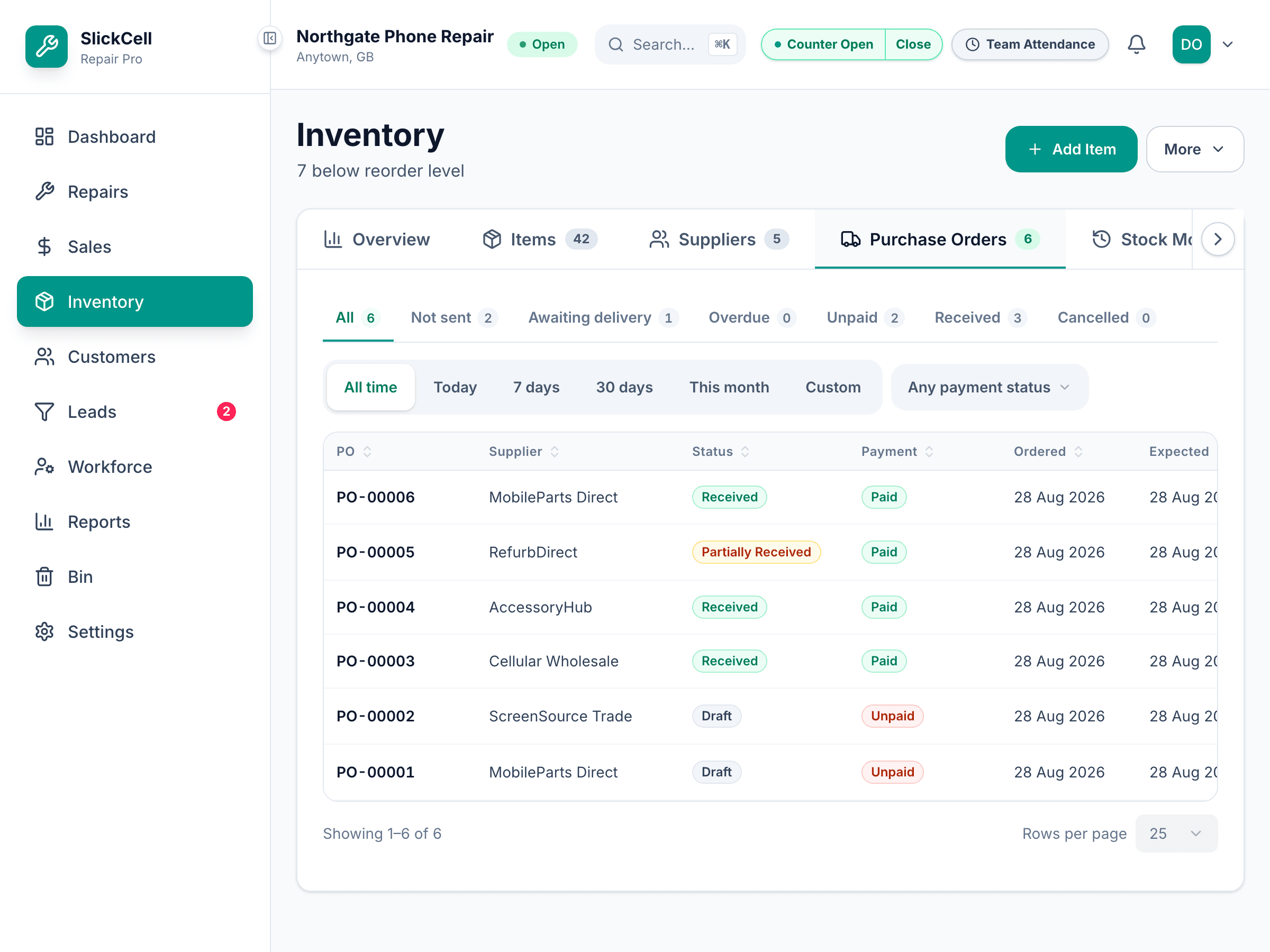
What you ordered against what turned up
Every line carries an ordered quantity and a received quantity, and they are allowed to disagree. A short delivery stays open and visible instead of being closed off as “received” so the paperwork can move on.
Ordered, received and billed are three numbers you can compare.
What you stop spending time on
The saving is not the typing. It is the checking that the typing made necessary.
- One version of the order
- No sent folder, no portal login, no “can you confirm what I asked for”.
- Prices you did not transcribe
- Lines come off the supplier's own catalogue, so a stale price is their edit, not your typo.
- A short delivery that stays open
- Booking in what actually arrived leaves the rest outstanding, which is the only state you can chase from.
- Payments with a matching answer
- You record what you paid; they confirm they have it. Both sides can see which is which.
- The awkward conversation has a record
- Discrepancies and returns are a documented flow rather than a phone call nobody wrote down.
The orders that are not simple
Any system handles a full delivery of everything you asked for. These are the ones that decide whether the numbers survive.
- They can only supply some of it
- The quotation comes back with the lines they can do, and you approve or cancel line by line. A partial order stays one order rather than becoming three.
- The price has gone up since last time
- A re-quote is a new version of the same quotation, with the reason for the revision recorded, so the change is visible instead of arriving on the bill.
- They offer a different part instead
- An alternative is a line-level response you can accept or decline, not a substitution that quietly appears in the box.
- It was agreed over the phone
- Off-platform approvals are recorded as such — the method, the person who agreed and the evidence — and a supplier cannot approve their own quotation.
- Stock is committed but not sent yet
- Approval reserves; dispatch is what removes stock from the supplier's inventory. The two are separate events, so reserved goods are not counted as gone.
- The delivery is split
- A dispatch can cover part of the order, and the rest stays outstanding against the same record.
- Something arrives damaged or wrong
- Receipt is per line and per outcome — accepted, damaged, missing, wrong item or rejected. Only accepted goods enter stock; the rest open a discrepancy instead.
- It has to go back
- A return is authorised through the discrepancy it belongs to, with the supplier's own return instructions attached to it.
- You paid but they have not seen it
- A payment you record is a claim until the supplier verifies it. Unverified claims never reduce a verified balance, so neither side is working from a number the other has not agreed.
- You want to stop ordering from them
- A supplier can be set to take no new orders, or the relationship closed, without deleting the history of what you already bought.
Every one of those leaves an entry on the order's activity timeline, visible to both businesses.
What the network carries
A directory of connected suppliers
Find suppliers already on the platform and connect. Adding one from the directory takes effect immediately.
Catalogues they keep current
Browse a supplier's shared items with their wholesale price, minimum order quantity, pack size and lead time.
They choose what you see
Sharing can cover everything, a category, or a named list of items, with an expiry — and stock can show as an exact figure, a simple in-stock marker, or not at all.
Orders that arrive as orders
Your purchase order becomes their incoming order. No portal, no PDF, no re-keying at either end.
Quotations with versions
Every re-quote is kept with its reason, and you can approve some lines while cancelling others.
Reserve, then dispatch
Approving holds the stock against your order. Confirming the dispatch is the single point at which it leaves their inventory.
Payment claim and verification
You record the payment; they confirm it. A claim awaiting verification never quietly reduces the balance either of you is working from.
Messages against the thing they are about
A conversation attaches to the relationship, the order or the discrepancy — so it is findable later by what it concerned.
Rate the orders you received
Buyers rate a completed order across several categories, and the supplier can reply once.
The questions buyers and suppliers actually ask
No. Purchase orders, receiving, bills and returns all work against your own supplier records whether or not the supplier uses SlickCell Pro — that is the ordinary purchasing module and it is on every plan. The network is what happens when they are on it too: the order stops being an email.
They sign up and choose “Supplier / wholesaler” when setting the shop up, which puts them on the Supplier Pro plan and turns on the supplier side of the product. They get everything a shop gets, plus the trade counter their shop customers order from.
They see what a supplier sees: the orders you send them, the messages on those orders, and what you have paid against them. Your stock, your customers, your prices and your other suppliers are not part of it.
They can share their whole catalogue, one category, or a named list of items, with each grant given per customer and able to expire. They also choose whether you see an exact stock figure, just whether an item is available, or nothing.
Approving an order reserves against it, and stock leaves the supplier's inventory only when a dispatch is confirmed. Reserving and sending are two separate events, which is what makes a reservation mean anything.
That is exactly the case this is built for. A payment you record is a claim; the supplier verifies it. Until they do it is visible to both of you as awaiting verification, and it does not move the verified balance either way.
See an order go out and come back
Bring a real order you placed last month — the one that arrived short, ideally — and we will walk it from the catalogue to the payment.